

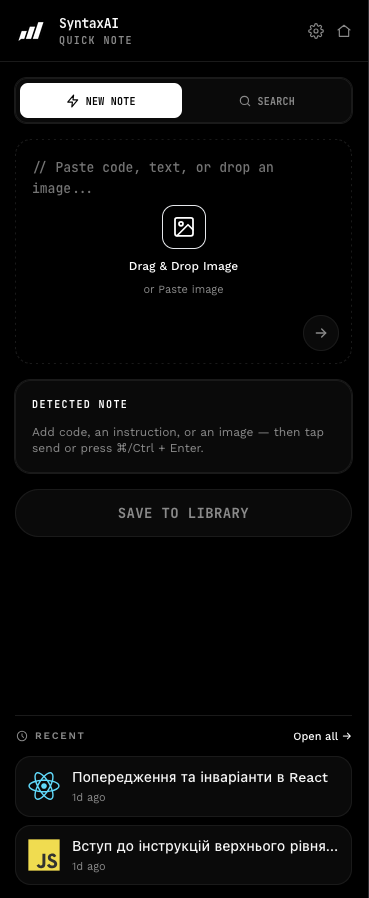
Capture from any page
Hotkey or context menu — grab code, docs, and the page you were reading. No copy-paste graveyard.
- ⌘⇧S capture
- Side panel without leaving the tab
Open beta · free for early users
Capture snippets, docs, and screenshots from any page. SyntaxAI titles, tags, and stacks them — so the next time you need that pattern, it's already yours.
Free full access · invite friends for launch rewards
● Recognizes your stack automatically
How it works
From a random tab to a tagged, searchable snippet — in seconds, without breaking your flow.
Paste code, drop a screenshot, or hit the hotkey on any page. The side panel opens — you never leave the tab.
SyntaxAI writes the title, tags the language and framework, and keeps the code clean and readable.
Search by text, tag or stack. Notes live locally first, then sync to your account.
See it work
Paste anything. SyntaxAI reads it, names it, tags the stack and files it — before you finish your coffee.
Your library
WaitingWaiting for a snippet…
Capture from any page
Reading docs, an article or a Stack Overflow answer? Select the useful part, right-click, and it's in your library — with the page it came from.
Effects let a component synchronize with an external system. The dependency array decides when the effect runs again. Return a cleanup function to undo whatever the effect set up before the next run.
Your library
Listening…Select text on any page, then right-click → Add to SyntaxAI
The page URL is saved with the selection and the stack is detected from the context, so you always know where a note came from.
The dashboard
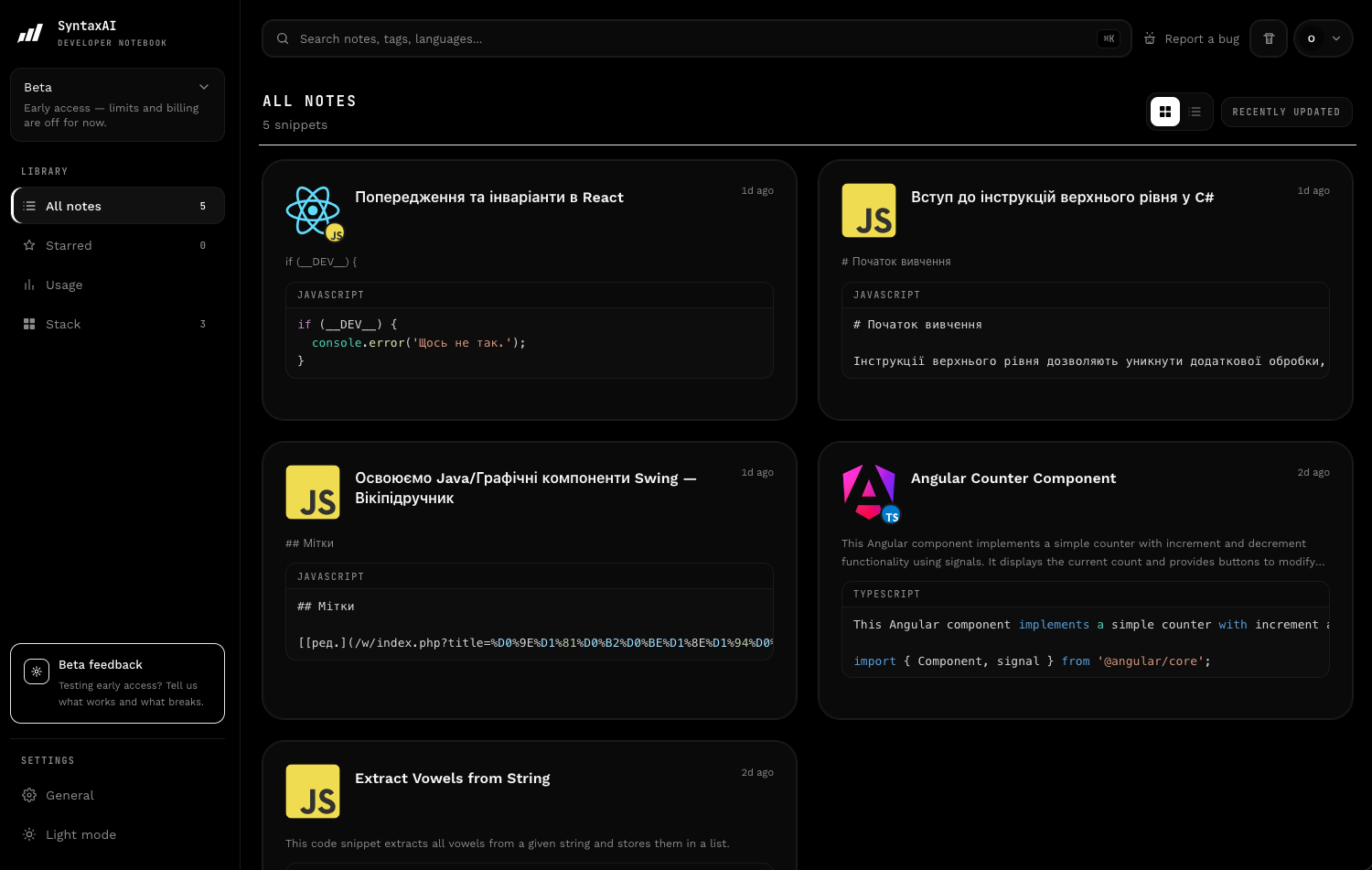
Every note is titled, tagged and stacked by AI. One calm dashboard for your whole library.
Features
Don't dump snippets into random files. Capture the context, tag it, and reuse it when it actually matters.
Hotkey or context menu — grab code, docs, and the page you were reading. No copy-paste graveyard.
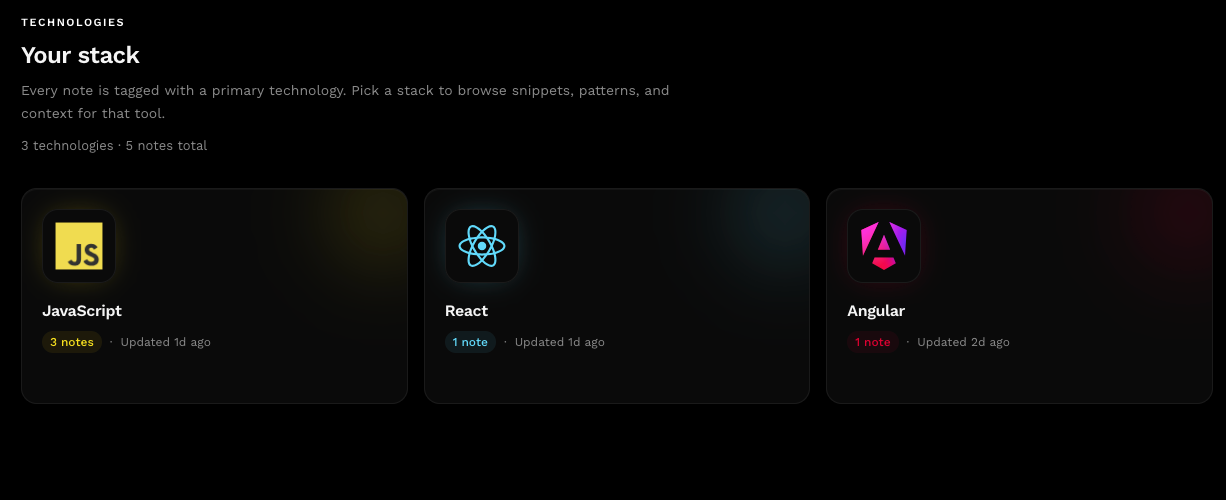
Paste a snippet or drop a screenshot — SyntaxAI detects the stack and tags the note so you can find it later by what it actually is.
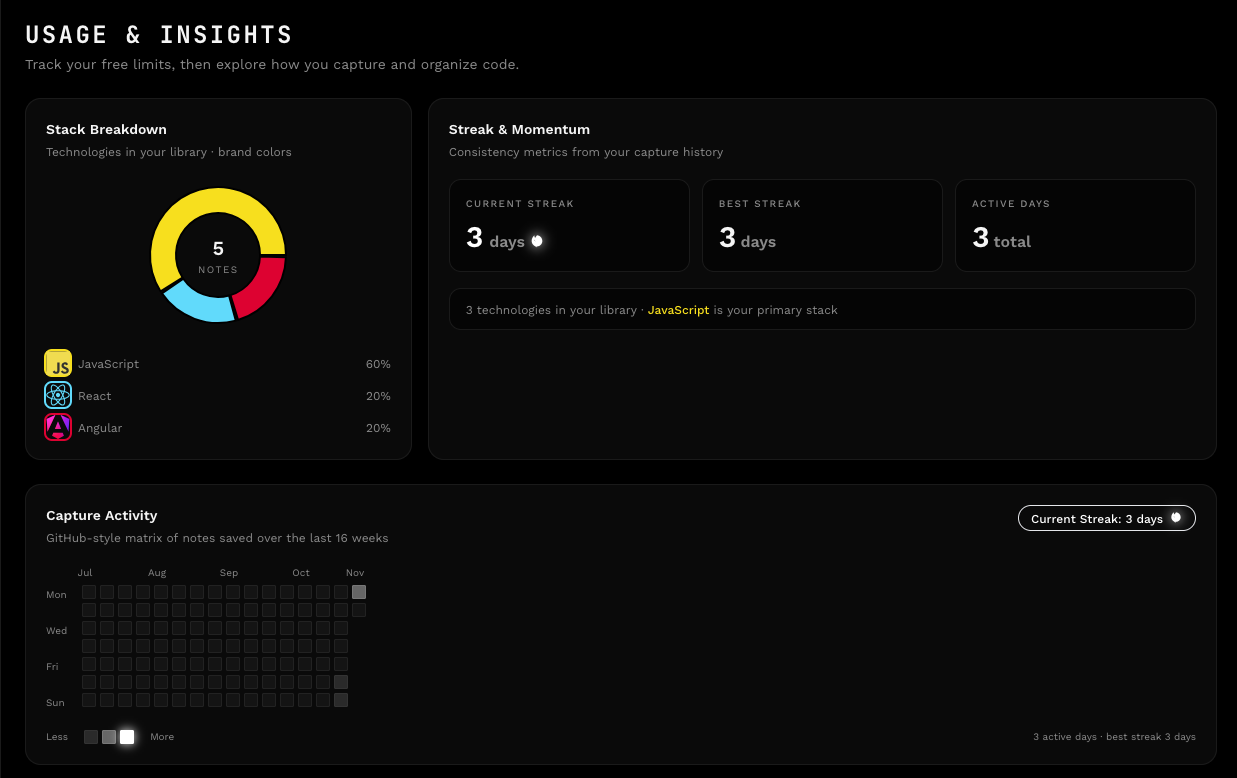
Stack breakdown, capture streaks and a GitHub-style activity map — see where your learning actually goes.
Filter by stack, star favorites, and find the snippet from last Tuesday in seconds.
Drop a screenshot of a docs page or a tweet with code. SyntaxAI reads it and files it.
Capture, search, and save without breaking flow. Full dashboard when you need the whole library.
Your library lives in the browser. Search, star, and reuse without shipping snippets to a random cloud folder.
Beta rewards
SyntaxAI is free while we're in beta. Bring your friends along and unlock Pro time for launch day.
Invite 1 friend
1 week Pro at launch
A friend signs up with your link.
Invite 3 friends
1 month Pro at launch
Rewards stack as you go.
Invite 7 friends
3 months Pro at launch
Rewards stack as you go.
Get started
Install SyntaxAI and build your library with full access during open beta. Sign in to sync notes and invite friends — Pro credits unlock when billing launches.
Pick your browser
Capture locally first. Sign in to sync and share your invite link.
30-minute personal onboarding · Setup assistance · Live Q&A · 100% free
Everything you need to know about SyntaxAI and how it fits into your dev workflow.
Use the keyboard shortcut or the context menu to save code, selection, or page context into your library. SyntaxAI adds a smart title and tags so you can find it later.
SyntaxAI is built for Chromium browsers today (Chrome, Brave, Edge, Arc). Firefox support is on the roadmap — you can join the waitlist from the homepage.
Yes. Open beta is free with full access — no Free/Pro limits for now. Paid plans will launch later; invite friends to earn Pro credits for that launch.
Sign in, open Account, and copy your invite link. Friends who sign up with your link count toward milestones (1 / 3 / 7). Rewards are Pro time credited when billing goes live.
Notes are stored locally in your browser first, then sync to your account when you are signed in — so the UI stays fast and your library follows you.
When you capture a snippet or image, SyntaxAI analyzes the content and suggests a title, tags, and detected languages or frameworks so search stays useful.
The extension is designed to stay light: capture and panel UI load on demand, and heavy AI work runs only when you save or analyze a note.
We only process what you explicitly capture. We do not read your tabs in the background. See our Privacy Policy for details.
Sign in on each browser so notes can sync through your SyntaxAI account. Local storage keeps the panel snappy; the cloud copy is the backup.
Can't find what you're looking for? Contact support
 Add to Chrome
 Add to Firefox